JavaScript Arrays 101: Understanding Ordered Collections in JavaScript

In modern programming, managing groups of related data is a common requirement. Applications frequently deal with lists such as a collection of products in an online store, a list of tasks in a productivity application, or a set of marks for students in a grading system. JavaScript provides a dedicated data structure for organizing such ordered collections: the array.
Arrays are among the most widely used constructs in JavaScript. They allow developers to store multiple values within a single variable while preserving their order. Instead of creating separate variables for each item, arrays provide a structured and scalable way to work with collections of data.
This article provides a comprehensive introduction to JavaScript arrays. It explains what arrays are, why they are necessary, how they are created, and how developers can access and update their contents. It also discusses the significance of array indexing, the length property, and the use of loops to process array elements. Throughout the discussion, practical examples illustrate how arrays simplify common programming tasks.
Why Arrays Are Necessary in Programming
To understand the importance of arrays, consider a simple situation where a developer needs to store five exam scores.
One possible approach might involve defining separate variables:
let score1 = 85;
let score2 = 90;
let score3 = 78;
let score4 = 92;
let score5 = 88;
Although this method works for small cases, it quickly becomes impractical as the number of values grows. Managing dozens or hundreds of variables individually would make programs difficult to maintain and scale.
Arrays solve this problem by grouping values into a single structure:
let scores = [85, 90, 78, 92, 88];
Now, instead of managing five separate variables, all values are stored in one container called an array. This structure makes it easier to process data collectively, perform calculations, and iterate through the elements.
Arrays therefore serve as a fundamental mechanism for managing collections of data in an organized and efficient way.
What Arrays Are: Ordered Collections of Values
In JavaScript, an array is a collection of values stored in a specific order. Each value occupies a position known as an index.
Example:
const fruits = ["Apple", "Banana", "Orange", "Mango"];
Here the array contains four elements. These elements are stored sequentially, and each one can be accessed by its position.
Arrays can store different types of values, including:
Numbers
Strings
Booleans
Objects
Even other arrays
However, in many cases arrays contain values of the same type because they represent similar data items.
For instance, a list of fruits or a collection of movie titles typically consists of strings.
Creating an Array in JavaScript
Arrays are usually created using square brackets []. Inside the brackets, values are separated by commas.
Example:
const tasks = ["Study", "Exercise", "Read", "Write"];
This array contains four tasks stored in sequential order.
Another example could represent a list of student marks:
const marks = [75, 88, 92, 68, 81];
Creating arrays in this way is known as array literal syntax, which is the most common method used in JavaScript.
Developers often begin learning arrays by creating small collections such as lists of fruits, movies, or daily activities. These simple examples demonstrate how arrays group related values together.
Understanding Array Indexing
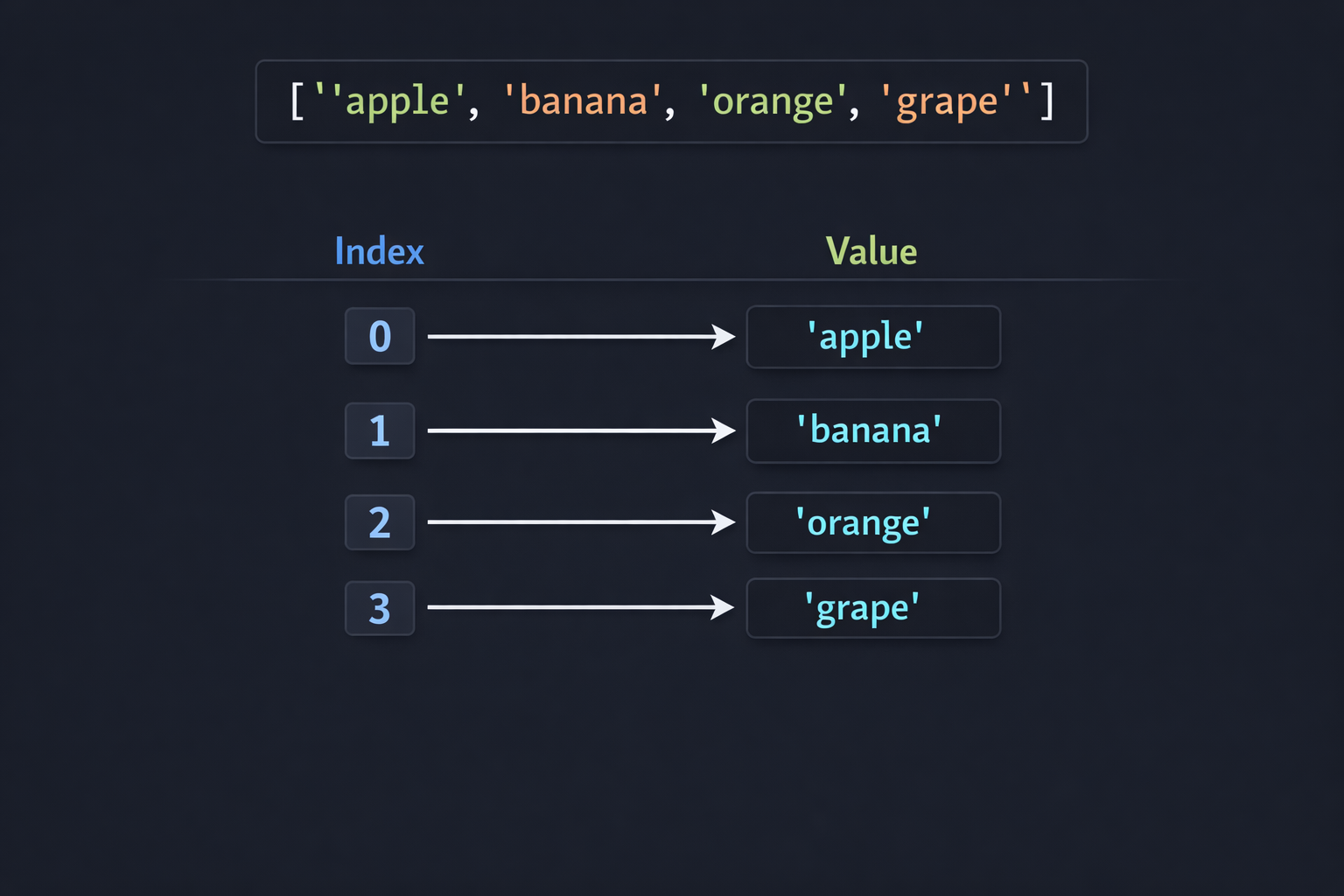
One of the most important aspects of arrays is indexing. In JavaScript, array indexing starts from 0, not 1.
This means that the first element of an array is located at index 0.
Consider the following array:
const fruits = ["Apple", "Banana", "Orange", "Mango"];
The positions of the elements are:
Index:   0        1        2        3
Value:  Apple   Banana   Orange   Mango
Because indexing begins at zero, the second element is located at index 1, the third at index 2, and so on.
This indexing system originates from low-level memory management concepts used in many programming languages. While it may initially seem unusual, developers quickly become accustomed to it.
Accessing Elements Using Index
Array elements can be accessed using square brackets with an index value.
Example:
console.log(fruits[0]);
Output:
Apple
Here the expression fruits[0] retrieves the first element of the array.
Accessing the third element:
console.log(fruits[2]);
Output:
Orange
Accessing elements through indexing allows programs to retrieve specific pieces of information from a collection.
For instance, a developer might store a list of favorite movies and then print specific elements:
const movies = ["Inception", "Interstellar", "Avatar", "Titanic", "The Matrix"];

console.log(movies[0]);
console.log(movies[4]);
This approach demonstrates how arrays allow structured access to stored data.
Updating Elements in an Array
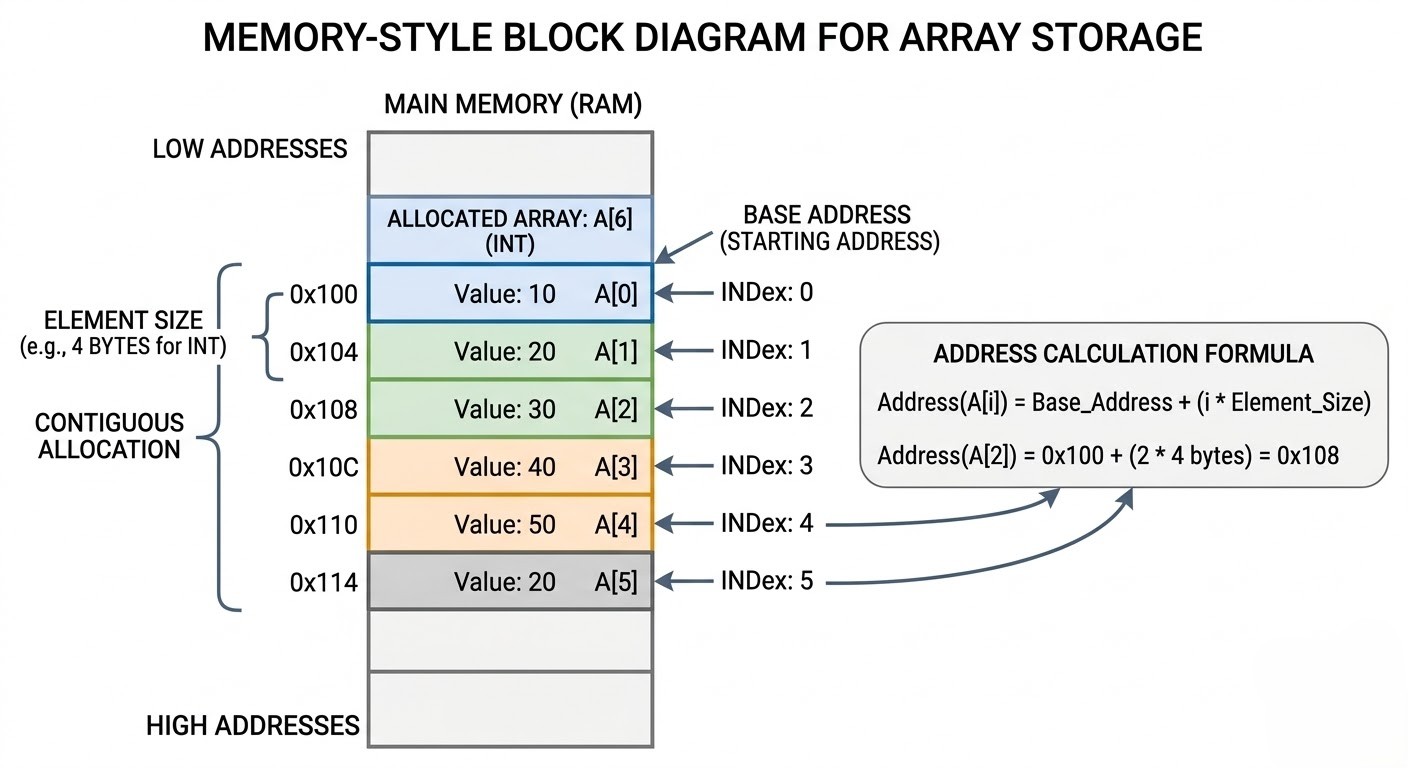
Arrays are mutable, meaning their elements can be changed after creation.
To update an element, simply assign a new value to the desired index.
Example:
const fruits = ["Apple", "Banana", "Orange"];

fruits[1] = "Mango";
Before the update:
["Apple", "Banana", "Orange"]
After the update:
["Apple", "Mango", "Orange"]
This feature allows programs to reflect changing data. For example, if a movie list needs to be updated, a developer can replace an outdated entry with a new title.
A practical exercise often used while learning arrays involves creating a list of five favorite movies, printing the first and last movie, and then replacing one entry with another. Observing how the array changes reinforces the concept of mutable elements.
The Array Length Property
Every array in JavaScript has a built-in property called length. This property returns the total number of elements in the array.
Example:
const fruits = ["Apple", "Banana", "Orange", "Mango"];

console.log(fruits.length);
Output:
4
The length property is extremely useful because it allows programs to dynamically determine how many elements exist in an array.
Consider a scenario where a developer needs to access the last element of an array. Instead of manually calculating the index, the program can use the length property.
Example:
console.log(fruits[fruits.length - 1]);
This expression retrieves the last element regardless of how many items the array contains.
Using length ensures that code remains adaptable even when arrays grow or shrink.
Basic Looping Over Arrays
Arrays often contain multiple values that must be processed collectively. Instead of accessing each element manually, developers use loops to iterate through the array.
The most basic method involves a for loop.
Example:
const fruits = ["Apple", "Banana", "Orange", "Mango"];

for (let i = 0; i < fruits.length; i++) {
  console.log(fruits[i]);
}
Output:
Apple
Banana
Orange
Mango
This loop works as follows:
istarts at 0.The loop continues while
iis less than the array length.Each iteration prints the element at index
i.iincreases by 1.
Using loops allows programs to perform operations on every element in an array.
For example, a developer might iterate through a list of movies and print each one:
const movies = ["Inception", "Interstellar", "Avatar", "Titanic", "The Matrix"];

for (let i = 0; i < movies.length; i++) {
  console.log(movies[i]);
}
Running such examples helps learners see how loops interact with arrays.
Practical Applications of Arrays
Arrays appear in nearly every type of software system. Their ability to store and process collections of values makes them indispensable.
Some common uses include:
Storing Lists of Items
Applications frequently manage lists such as:
Products in an online store
Messages in a chat application
Tasks in a task manager
Processing Data
Arrays allow developers to process large amounts of data efficiently. For instance, a program might store hundreds of exam scores in an array and calculate statistics such as averages or highest values.
User Interface Rendering
In modern web development, arrays often represent collections of data that are displayed on a webpage. For example, an array of articles may be used to generate a list of blog posts dynamically.
Because arrays support indexing and iteration, they make these tasks straightforward.
Arrays as a Foundation for More Advanced Concepts
While this discussion focuses on basic array operations, arrays also serve as the foundation for many advanced programming techniques.
In modern JavaScript, developers frequently use arrays alongside methods that perform operations such as filtering data, transforming values, or aggregating results. However, mastering the basic concepts of array creation, indexing, updating, and looping is essential before exploring these advanced capabilities.
Once these fundamentals are understood, developers can confidently build more sophisticated data-processing logic.
Conclusion
Arrays play a central role in JavaScript programming because they provide an organized way to store and manipulate collections of values. By grouping related data into a single structure, arrays eliminate the need for numerous individual variables and make programs easier to manage.
In this article, we examined how arrays function as ordered collections where each element is accessed through an index beginning at zero. We explored how arrays are created using square brackets, how individual elements can be accessed and updated, and how the length property provides insight into the size of the collection. Additionally, we discussed how loops allow programs to process arrays efficiently by iterating through each element.
Practical examples such as storing lists of fruits, exam marks, or favorite movies illustrate how arrays mirror real-world collections of information. Through simple exercises like printing the first and last elements of an array or updating a specific value, developers gain hands-on experience with the core mechanics of array manipulation.
As programmers progress in their JavaScript journey, arrays continue to serve as a fundamental building block for more advanced programming techniques. A strong understanding of array fundamentals therefore provides an essential foundation for writing efficient, organized, and scalable JavaScript code.
Comments
Join the discussionNo comments yet. Be the first to comment.


